
Navigation
BzCtrl. is organized around Domains and Workspaces, which you can select from the Navigation Tree in the top-right corner of the tool. Understanding this structure is key to using BzCtrl. efficiently.
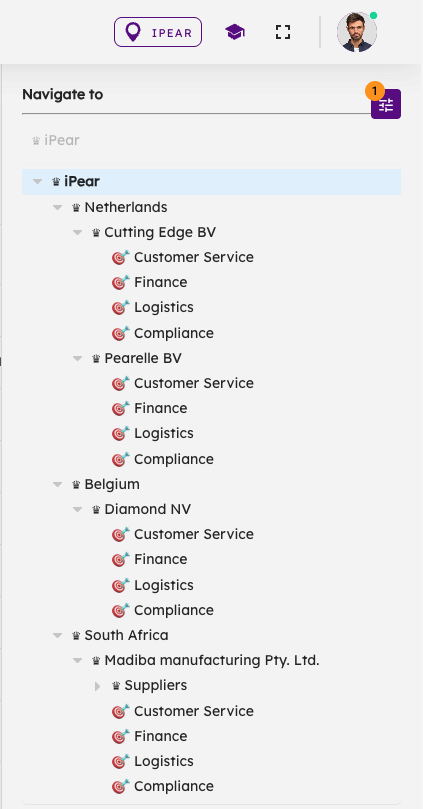
Domains
-
Purpose: Domains are used to structure and organize Workspaces. They help you group related areas of your business and control how data is shared.
-
Hierarchy: Domains can contain sub-Domains and Workspaces. If a parent Domain contains multiple sub-Domains, all data from the sub-Domains and their Workspaces is visible at the parent level. This creates a clear hierarchical structure.
-
Role Management: Domains are also used to assign user roles, controlling who can access and modify data.
Workspaces
-
Purpose: Workspaces are where the actual To-do’s are recorded and managed.
-
Relation to Domains: Each Workspace belongs to a Domain, and data can be shared across Workspaces belonging to the same Domain.
Pages
-
Located on the left-hand side of the interface, Pages display data based on your current selection in the Navigation Tree. Selecting a Domain or Workspace in the tree determines which data is visible.
