# Navigation
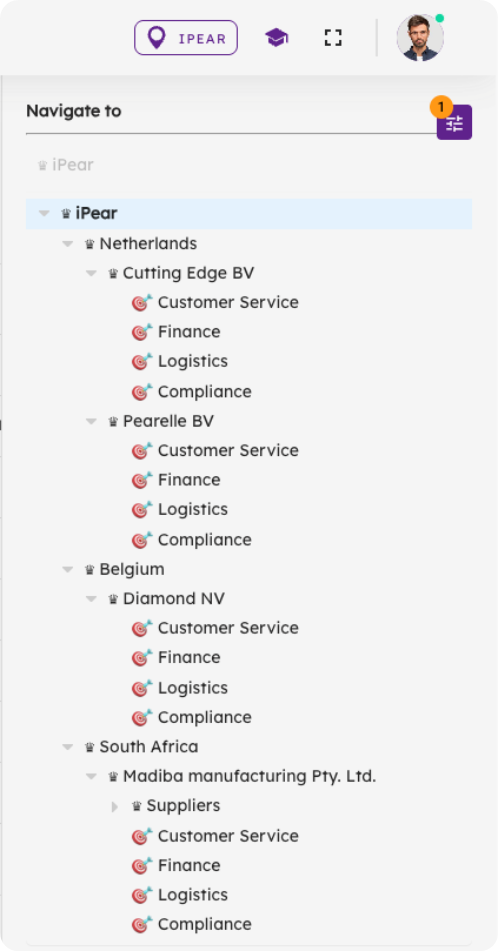
BzCtrl. is organized around **Domains** and **Workspaces**, which you can select from the **Navigation Tree** in the top-right corner of the tool. Understanding this structure is key to using BzCtrl. efficiently.
####
#### Domains
- **Purpose:** Domains are used to structure and organize Workspaces. They help you **group** related areas of your business **and control how data is shared.**
- **Hierarchy:** Domains can contain **sub-Domains** and **Workspaces**. If a parent Domain contains multiple sub-Domains, all data from the sub-Domains and their Workspaces is visible at the parent level. This creates a clear hierarchical structure.
- **Role Management:** Domains are also used to assign user roles, controlling who can access and modify data.
#### Workspaces
- **Purpose:** Workspaces are where the actual **To-do’s** are recorded and managed.
- **Relation to Domains:** Each Workspace belongs to a Domain, and data can be shared across Workspaces belonging to the same Domain.
#### Pages
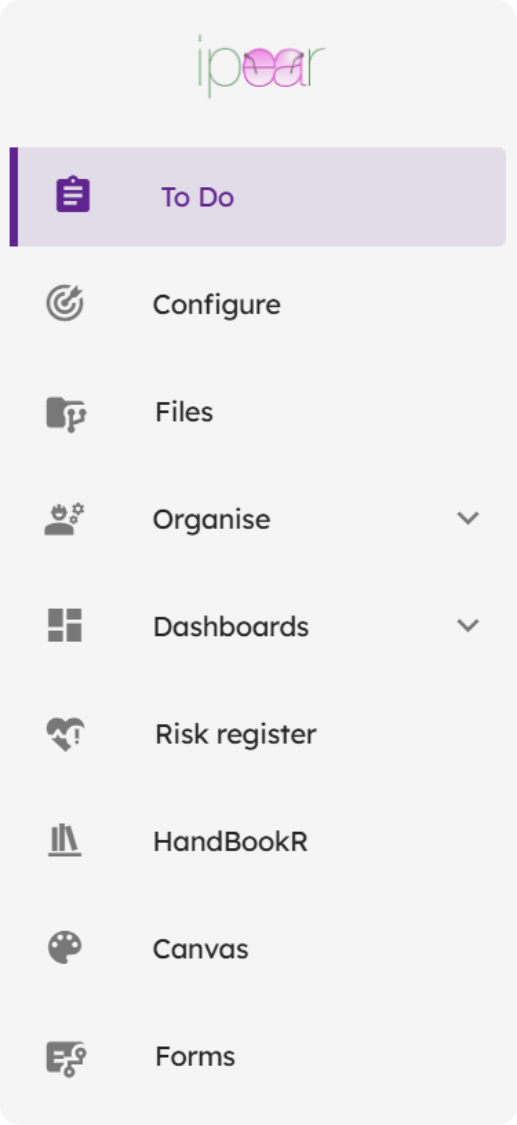
- Located on the **left-hand side** of the interface, Pages display data based on your current selection in the Navigation Tree. Selecting a Domain or Workspace in the tree determines which data is visible.
#### Quick Overview
1. **Navigation Tree (top-right):** Select Domains or Workspaces.
2. **Domains:** Structure your Workspaces, group and share data, assign roles, and create hierarchy.
3. **Workspaces:** Record and manage your To-do’s.
4. **Pages (left):** View the data related to the currently selected Domain or Workspace.