ATLS and CMS
Outline of practical procedures on how to use ATLAS in relation to customs processes handled by our Compliance Management System (CMS).
Incoming goods
Goods incoming can be accompanied by various customs transport documents that required specific handling and follow up. These procedures describe the various options and ways to handle.
Incoming goods
Introduction
The process of incoming goods can be summarized as follows:
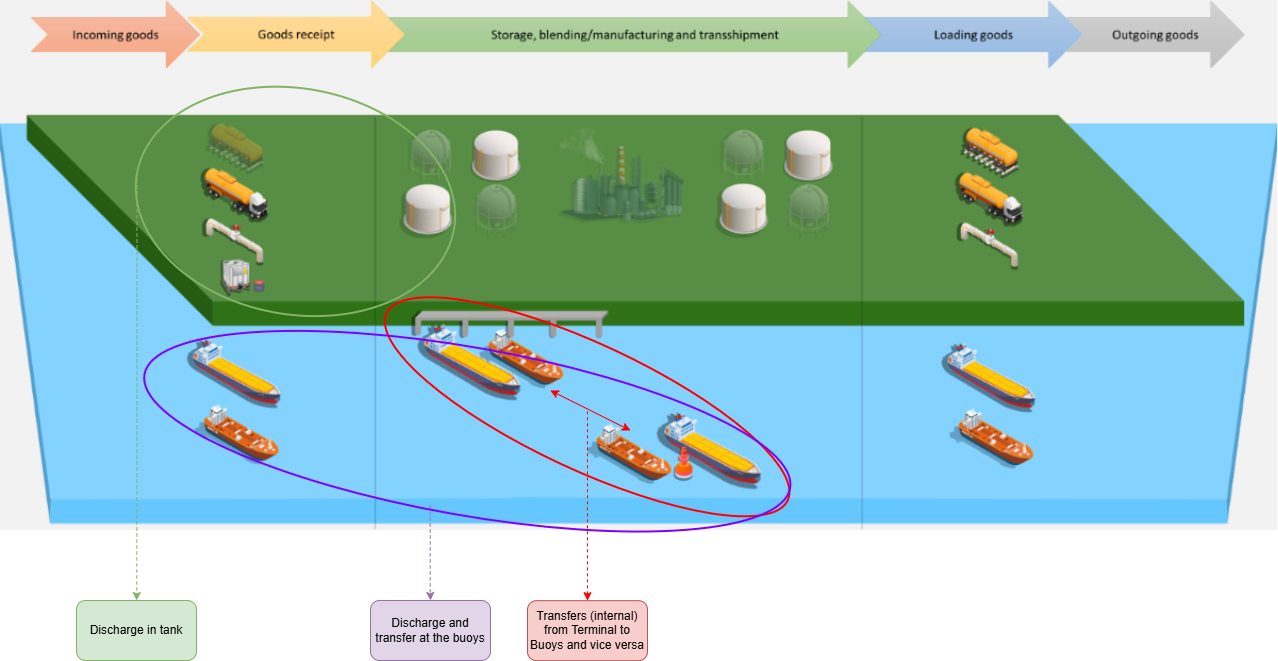
Hence, from a physical point of view we have three flows in terms of incoming goods and goods receipt:
- Goods receipt in Tank (Discharge);
- Goods receipt in Means of Transport (MoT), with the (receiving) MoT leaving the Terminal / Buoy directly (Administrative take in of quantity or Board to board);
- Goods receipt in Means of Transport (MoT), with the (receiving) MoT subsequently coming to the Terminal (Administrative take in of quantity or Board to board);
In more detail we have the various scenario's.
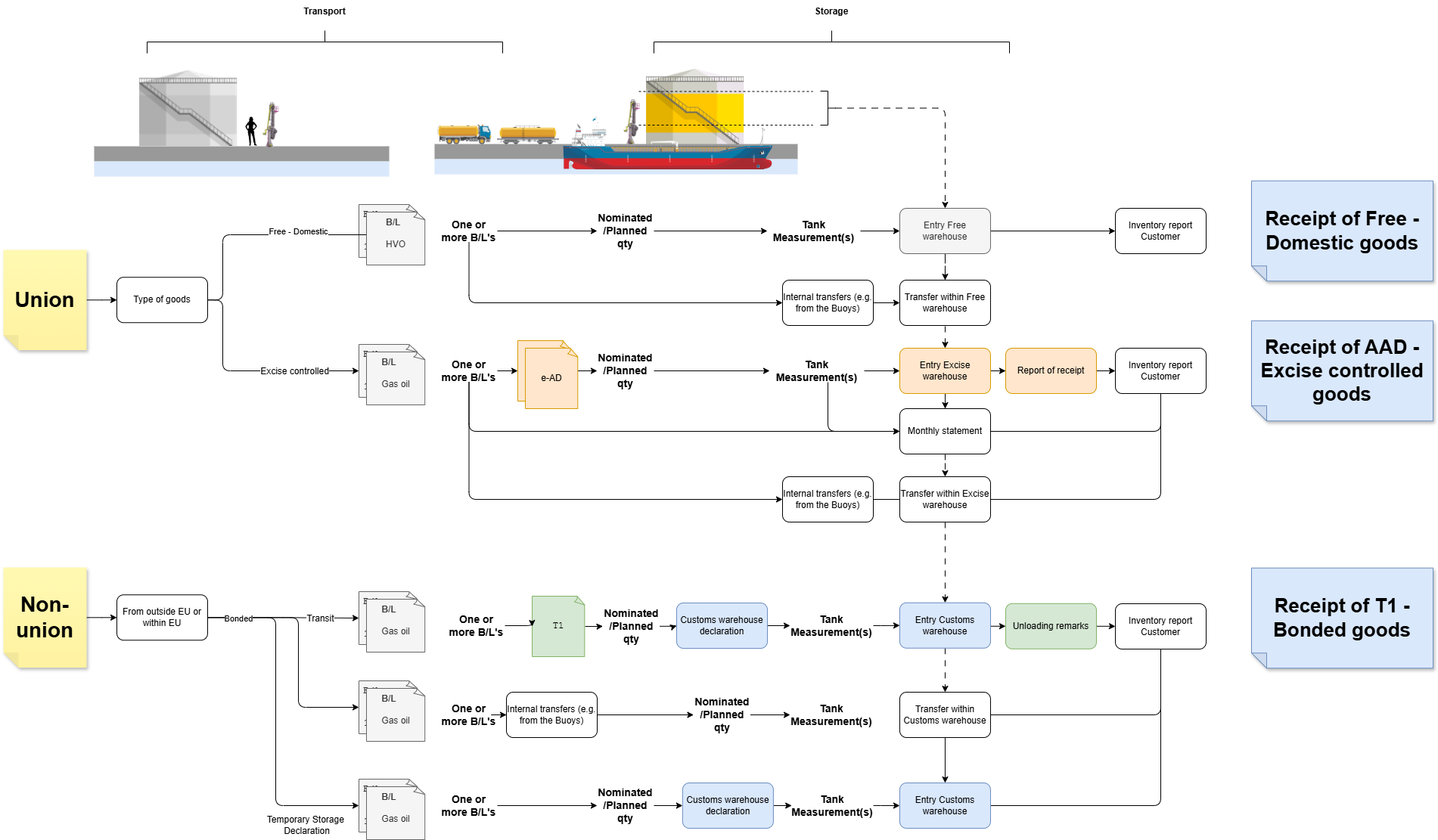
This results in three procedures, where the customs status is the main driver of what procedure to apply:
- Receipt of Free - Domestic goods;
- Receipt of AAD - Excise controlled goods;
- Receipt of T1 - Bonded goods.
Within ATLAS any registration of a Parcel leads to a Parcel check that includes an indication of the Documents to expect (Expected documents). Please note this is merely informative and not conclusive.

Incoming goods
Receipt of Free-Domestic goods
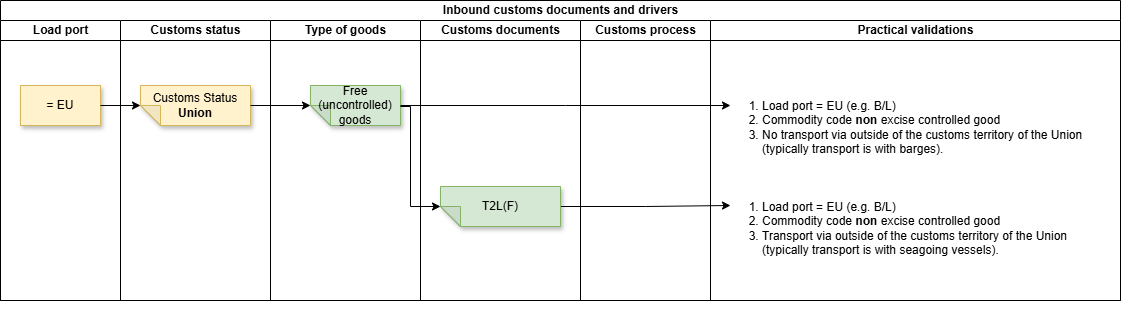
For the receipt of Free-Domestic goods, no customs compliance requirements exist. However, when coming from open seas (to be recognized by the Means of Transport being a Vessel) there should be a proof of Customs status such as a T2L(F).
The customs status must be included in the Nomination. To verify whether or not the customs status Free - Domestic is correct, the documents should be verified on the mentioning of an EU load port being mentioned. If not, this means the customs status is incorrectly indicated and the customer should be consulted.
The Free - Domestic customs status versus the AAD - Excise controlled customs status, is driven by the type of goods. This is governed through the Product Database in CMS, where Products are marked as Excise controlled according to the applicable legislation. Should the User choose a customs status that is not in line with the Product database, CMS will give an error and will not proceed.
Incoming goods
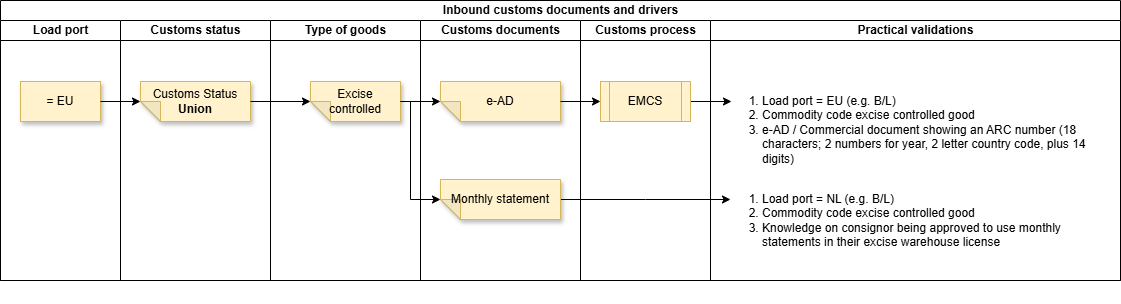
Receipt of AAD - Excise controlled goods
The receipt of Excise controlled goods is typically under suspension of excise duties. Therefore, this process is governed by legislation and policies setting conditions for the Movements of these type of goods.
Specific features
This Chapter describes various special features that accommodate the business process and ensuring compliance.
Specific features
Reprocessing ATLAS data
We are only human. Mistakes are made, and up until a certain point in time, the system accommodates changes. However, there are measures of control in place to ensure changes can only be made to the point data is communicated externally and confirmed. As long as the communication is not finalized the data in ATLAS can be changed, whereby the normal process again validates this 'new' data.
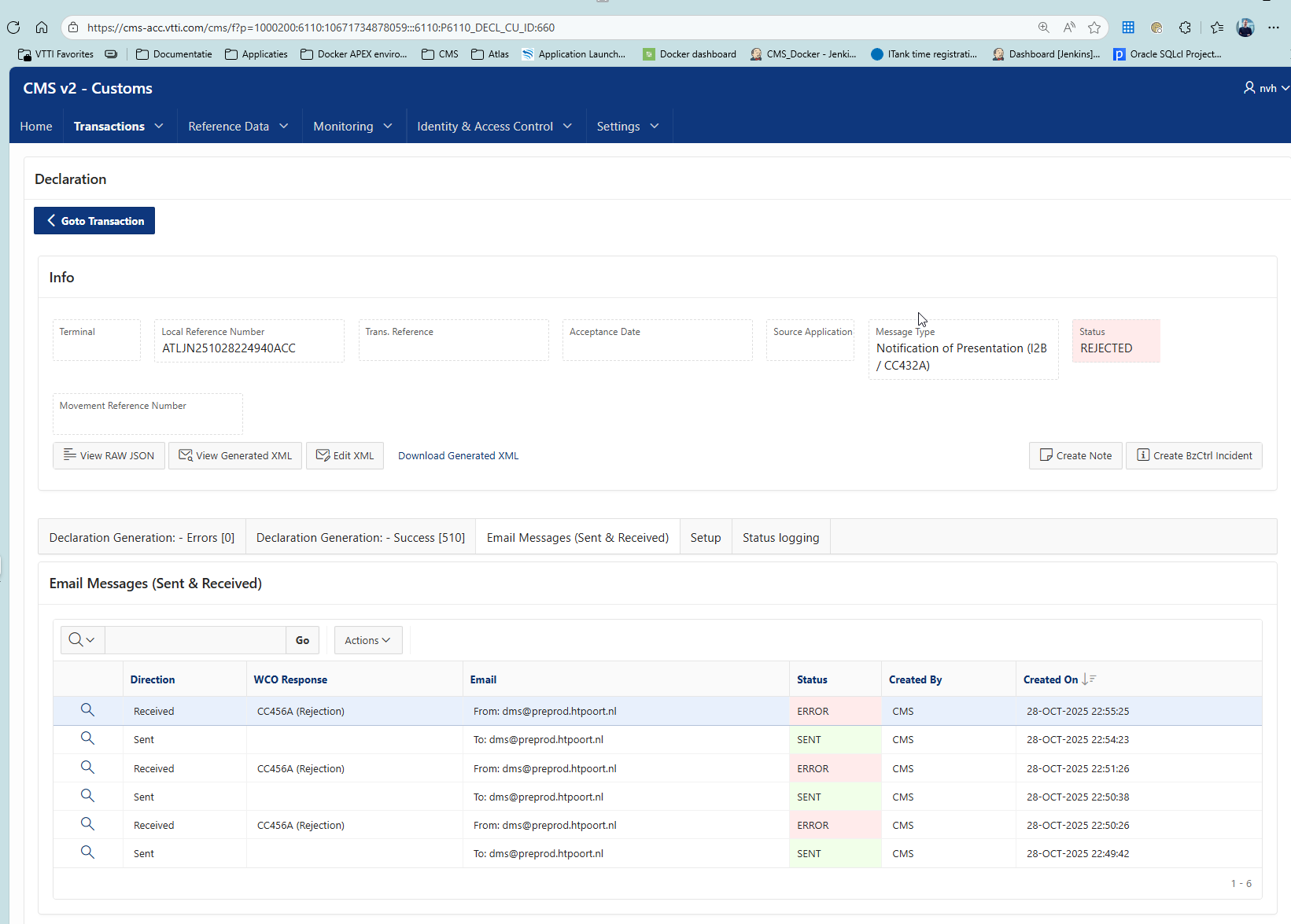
For example. In the below scenario we do a tranfser from one ship to another. Intially the Commodity code used was expired and nolonger existing. At the Pre-check, the point in time where the operator indicates final checks are done and he will start the physical operation, customs declarations are sent based on business rules. In this case a so-called Presentation of Notification was sent to Customs and rejected on the basis of the fact that the Commodity code is nolonger existing. This blocks the User from continuing, where the Notification of Presentation is showing red in the CMS overview screen. Going into the details shows the nature of the rejection.
The User can go back in ATLAS and change the Commodity code to the correct one and re-initiate the Pre-check. Now the Transaction is reprocessed with the correct data.
Note that the reprocessing is only possible when messages submitted are not in progress or finalized!
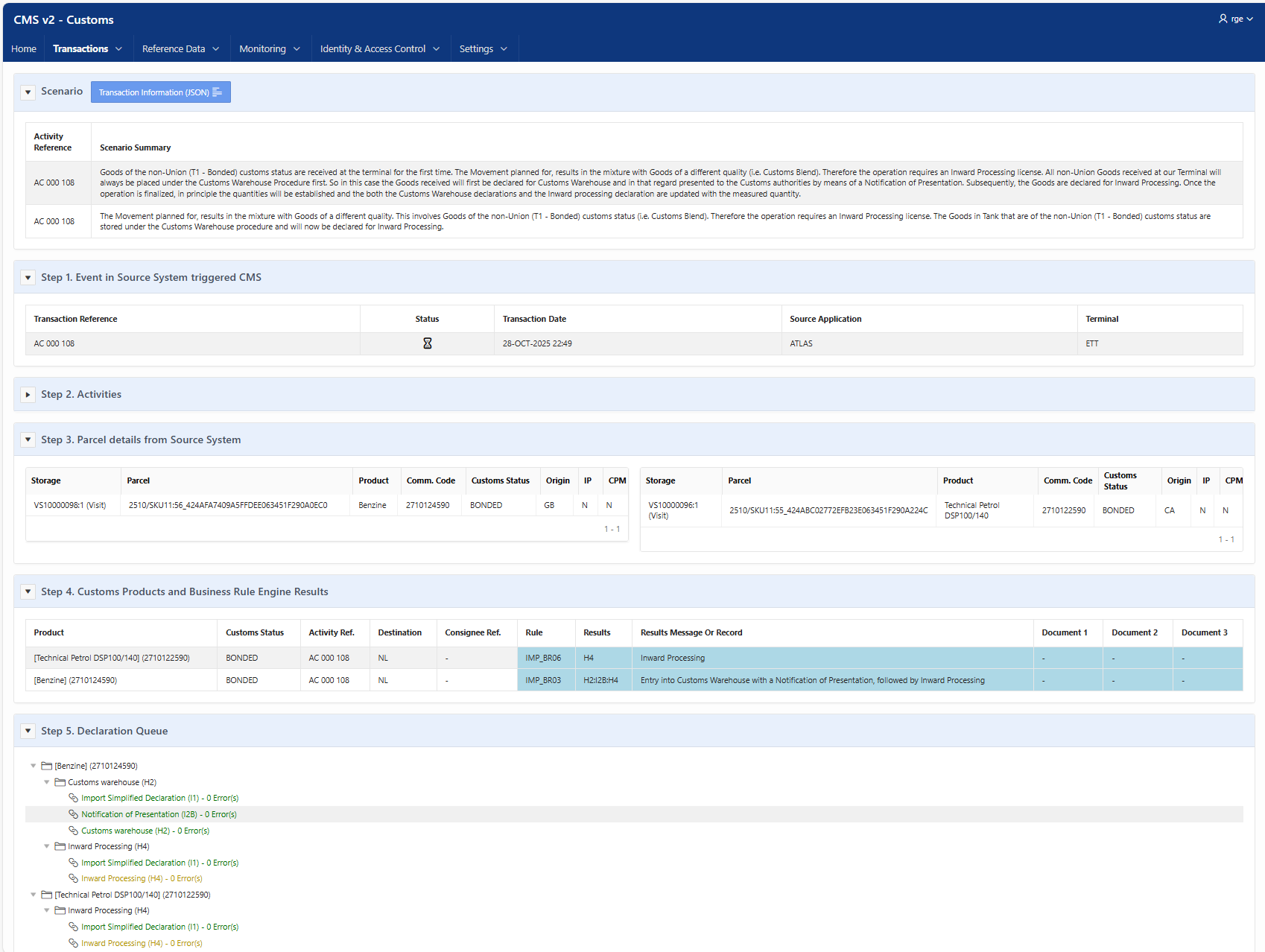

The initial Notofication of Presentation rejected can be found under the unlinked declarations under our Monitoring.

Here you can always find back the history.